🔑 SEO Keywords & Key Phrases: liquor store POS system 2025, best POS for liquor store, beverage retail software comparison, alcohol inventory management software, age verification POS liquor, case break POS system, liquor store technology buyer guide
Choosing a point-of-sale system for a liquor store is fundamentally different than selecting a POS for a general retail business. The complexity of liquor retail — case breaks, variable state tax rates, age verification requirements, distributor relationships, allocated bottle tracking, and the sheer volume of SKUs — demands a specialized solution. Store owners who implement purpose-built liquor POS systems consistently save 10–20 hours per week on administrative tasks (Technology Advice, 2025).
The 14 Must-Have Features for Liquor Store POS
| # | Feature | Why It Matters |
|---|---|---|
| 1 | Age Verification & ID Scanning | Scan driver’s licenses; auto-log for compliance audits |
| 2 | Case Break Tracking | Sell by case, bottle, or six-pack; system auto-reconciles |
| 3 | Auto Purchase Order Generation | Set reorder thresholds; system generates POs automatically |
| 4 | Real-Time Inventory | Instant updates at POS; online and in-store always in sync |
| 5 | Multi-Rate Tax Engine | Auto-calculate federal excise, state, and local tax by product type |
| 6 | Pre-Loaded Product Database | 50,000+ SKUs with images, descriptions, and UPC data |
| 7 | Customer Loyalty Program | Points tracking; personalized promotions; tiered access programs |
| 8 | eCommerce Integration | Real-time sync between in-store POS and online storefront |
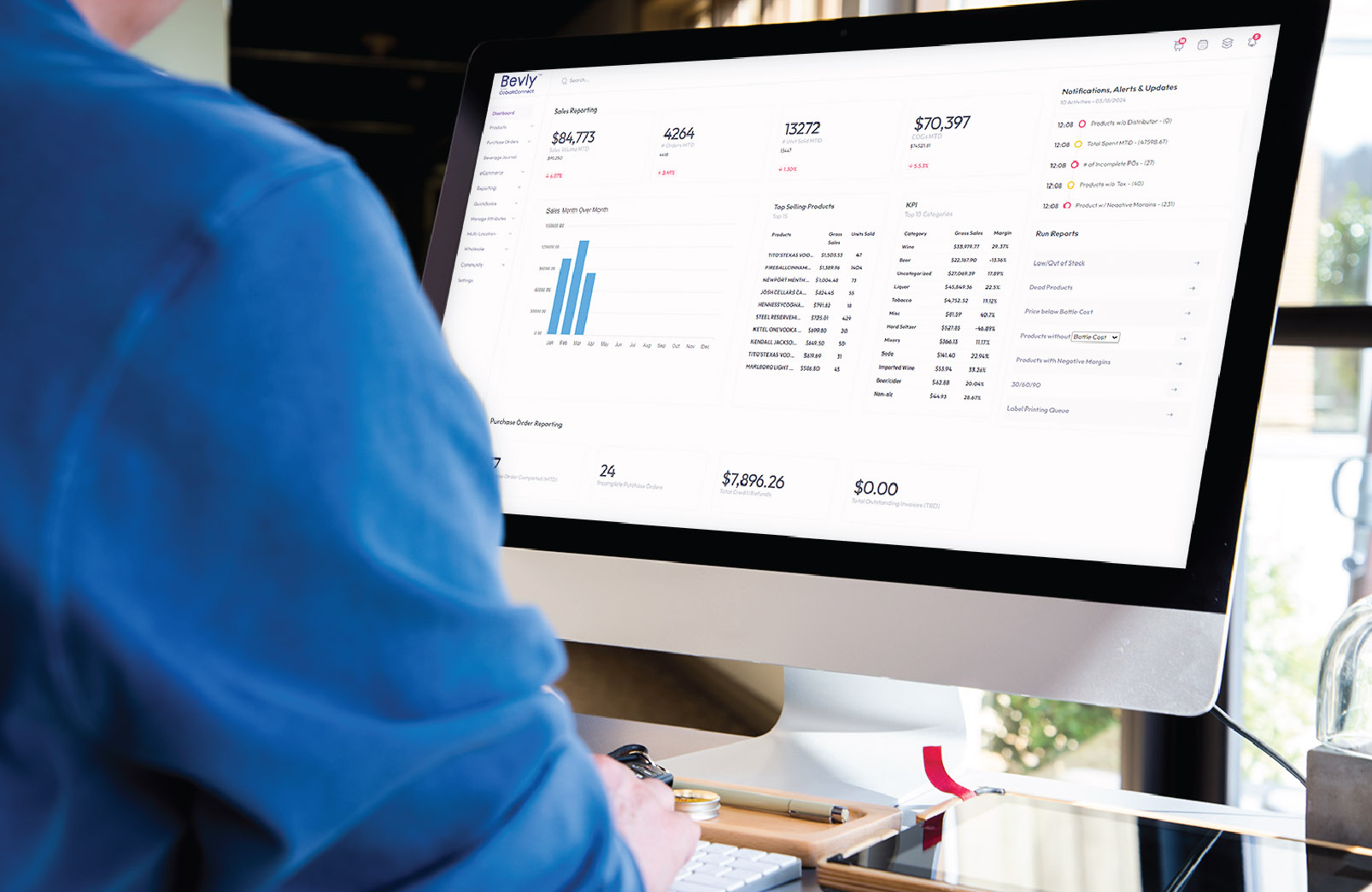
| 9 | Sales Analytics Dashboard | Top sellers, slow movers, margin analysis, YoY comparisons |
| 10 | Distributor Integration | Direct electronic ordering; invoice import and auto-reconciliation |
| 11 | Loss Prevention Controls | Manager overrides; role-based permissions; serialized bottle tracking |
| 12 | Cloud-Based Access | Manage inventory and view reports from any device |
| 13 | Mobile POS | Process sales on the floor during tastings or inventory counts |
| 14 | Accounting Integration | QuickBooks/Xero integration; automated financial reporting |
Implementation Best Practices
Before go-live, conduct a complete physical inventory count so initial stock data is accurate — launching with inaccurate data is the most common implementation mistake. Plan your go-live during a slower business period (mid-week in January works well). Allocate at least two full days for staff training. Designate an in-store champion who owns the learning curve and becomes the go-to resource when questions arise.
About Bevly
Bevly is the all-in-one liquor store platform built for modern retail — POS, inventory, eCommerce, distributor management, and customer loyalty in one powerful system.
Platform Features
- ✓ Purchase Order Automation
- ✓ 50,000+ Product Database
- ✓ Real-Time Inventory Sync
- ✓ Distributor Network Integration
- ✓ Business Intelligence Dashboards
- ✓ Customer Loyalty & CRM
Contact
Bevly In Action
Bevly is built for the operational reality of running a liquor store — from managing the morning delivery of 15 cases from three different distributors, to updating 500 prices before a holiday weekend, to ensuring your online store reflects exactly what’s on your shelves at 9 PM on a Saturday. Every hour saved on administration is an hour reinvested in the customer experience.
Sources & Citations
[1] Bottle POS. Liquor Industry Trends Success — Annual Review. December 2024.
[2] Technology Advice. Best POS System for Liquor Stores in 2025. March 2025.
[3] OneHub POS. 14 Liquor Store POS Features to Look Out for in 2025. March 2025.
[4] Toast POS. Best Liquor Store POS Software Comparison Guide. 2024.
[5] Bevly. Platform Features Overview. www.bevlypos.com. 2025.