Adding Liquor Store Attributes in Bulk: The 20-Second Bevly Feature That Can Save Liquor Stores an Entire Night of Work
Running a liquor store means keeping up with more than inventory levels and customer demand. Owners also have to stay compliant with changing state regulations, taxes, deposits, pricing requirements, and product rules.
Unfortunately, many point-of-sale systems make these changes painfully slow by forcing employees to edit products one at a time.
The Real Cost of Editing Products One by One
Imagine that your state introduces a new tax that applies to a specific group of products in your store.
In many liquor store POS systems, the owner or manager must:
- Search for every affected product.
- Open each product individually.
- Add or assign the new tax.
- Save the updated product.
- Repeat the same process hundreds or even thousands of times.
A change that sounds simple can quickly become an all-night project.
Manual updates also create more opportunities for mistakes. Missing even a few products can result in incorrect pricing, lost revenue, inconsistent tax collection, and potential compliance problems.
Connecticut’s 50ml Tax Is the Perfect Example
When Connecticut added a $0.10 tax to all 50ml bottles, liquor store owners needed to update every affected item in their inventory.
For stores using traditional inventory systems, this often meant spending an entire evening opening and editing products individually.
Bevly users had a completely different experience.
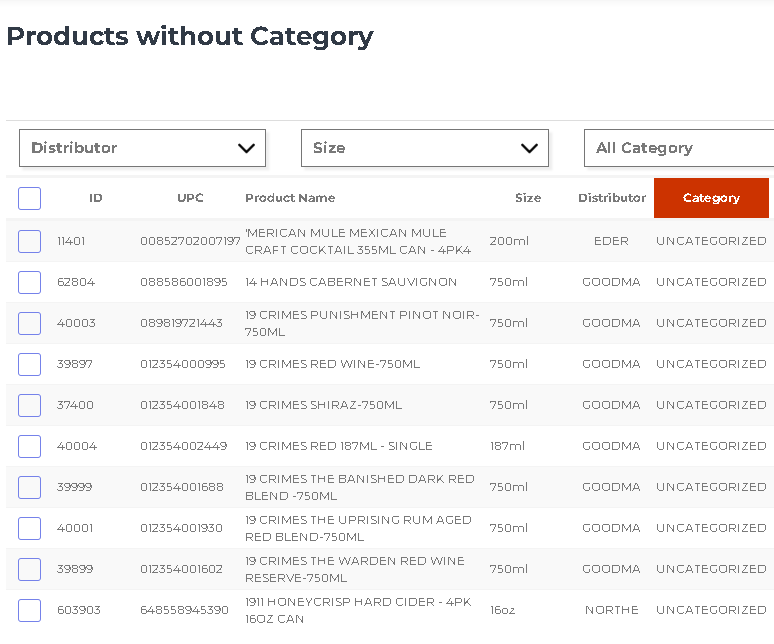
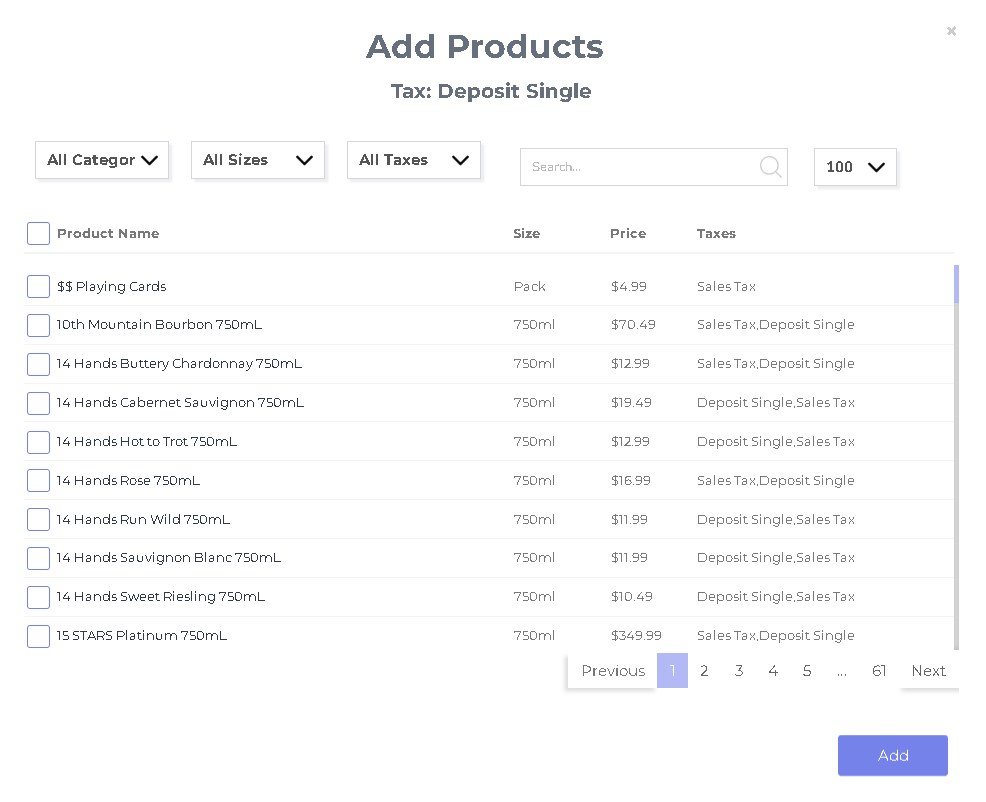
Instead of opening hundreds of products one at a time, Bevly users were able to identify their 50ml products, apply the new tax in bulk, and save the changes.
That is approximately how long it took Bevly users to apply the new tax to all of their 50ml products.
One Update Instead of Hundreds
Traditional POS Systems
Store owners may have to locate, open, edit, and save every affected product individually. Depending on the size of the inventory, the process can take several hours.
Bevly Bulk Updates
Store owners can filter the appropriate products, apply the liquor store attributes in bulk to hundreds of products, and complete the update in a matter of seconds.
What was an all-night task for some liquor stores became one of the fastest inventory updates Bevly users completed all year.
Update Products Using the Attributes That Matter
Bevly’s bulk product editing capabilities are not limited to taxes or product size.
Liquor store owners can identify and update groups of products using attributes such as:
- Product category
- Bottle or package size
- Department
- Vendor or distributor
- Brand
- Product type
- Tax status
- Deposits
- Pricing settings
- Other product characteristics
Instead of manually searching through thousands of products, Bevly allows store owners to target exactly the items they need to change.
Whether a new rule applies to every 50ml bottle, every product in a certain category, or every item supplied by a particular vendor, the update can be made to the entire group at once.
To see how this feature works in a real liquor store inventory,
schedule a Bevly demo.
Bulk Editing Is Useful for More Than Taxes
Bulk product editing becomes valuable anytime a liquor store needs to make the same change across multiple items.
Store owners can use bulk updates for tasks such as:
- Applying new state or local taxes
- Adding bottle deposits
- Changing tax classifications
- Updating pricing rules
- Assigning or correcting product categories
- Updating inventory settings
- Applying promotional attributes
- Making compliance-related changes
- Correcting product information across an entire group
Instead of repeating the same task hundreds of times, the store performs the update once and applies it to every matching product.
Reduce Errors and Protect Revenue
The benefit of bulk editing is not limited to saving time. It also helps reduce the risk of human error.
When employees manually edit products one by one, it is easy to skip an item, select the wrong tax, enter the wrong amount, or forget to save a change.
Those small mistakes can become expensive when they are repeated across hundreds of transactions.
A product that is missing a required tax may quietly undercharge customers every time it is sold. Over weeks or months, those missed amounts can add up to a meaningful loss.
By updating a complete group of products at the same time, Bevly helps liquor retailers create a more consistent and accurate inventory database.
Save Hours Every Year
Liquor store owners are constantly adapting to changing regulations, distributor requirements, tax rules, product information, and business needs.
The difference between editing products individually and updating them in bulk is more than a minor convenience. It can mean the difference between losing an entire evening and completing the work before the next customer reaches the register.
Saving several hours on a single inventory update gives owners and managers more time to:
- Help customers
- Manage employees
- Review purchasing decisions
- Improve merchandising
- Work with distributors
- Focus on growing the business
When these time savings occur throughout the year, they can have a significant impact on store productivity.
Built Specifically for Liquor Retailers
General retail POS systems often require workarounds for liquor-specific tasks.
Bevly was designed specifically for liquor stores, giving retailers tools that address the industry’s unique inventory, purchasing, tax, reporting, and compliance challenges.
Features like bulk attribute editing eliminate repetitive work while helping stores remain accurate and prepared for regulatory changes.
When the next tax or deposit rule changes, Bevly users do not have to spend the night editing products individually. They can make the change in seconds and move on with their business.
See How Much Time Bevly Can Save Your Store
If your current POS system still requires you to edit products one at a time, schedule a personalized Bevly demonstration and see how bulk product updates work.